Skip to content
French manufacturer of industrial fansSince 1937 · Standard & custom

← Back to AIRAP
 FABAIR SELECT
Coming soon for our customers
A new dimension
for your fan selections.
From the operating point to the project file, discover the fan selection tool developed by AIRAP and FABRESSE.
AIRAP × FABRESSE Ventilation expertise, online.
FABAIR SELECTSoftware preview
◉
Selection▦
Catalogue▣
Projects⇩
Exports 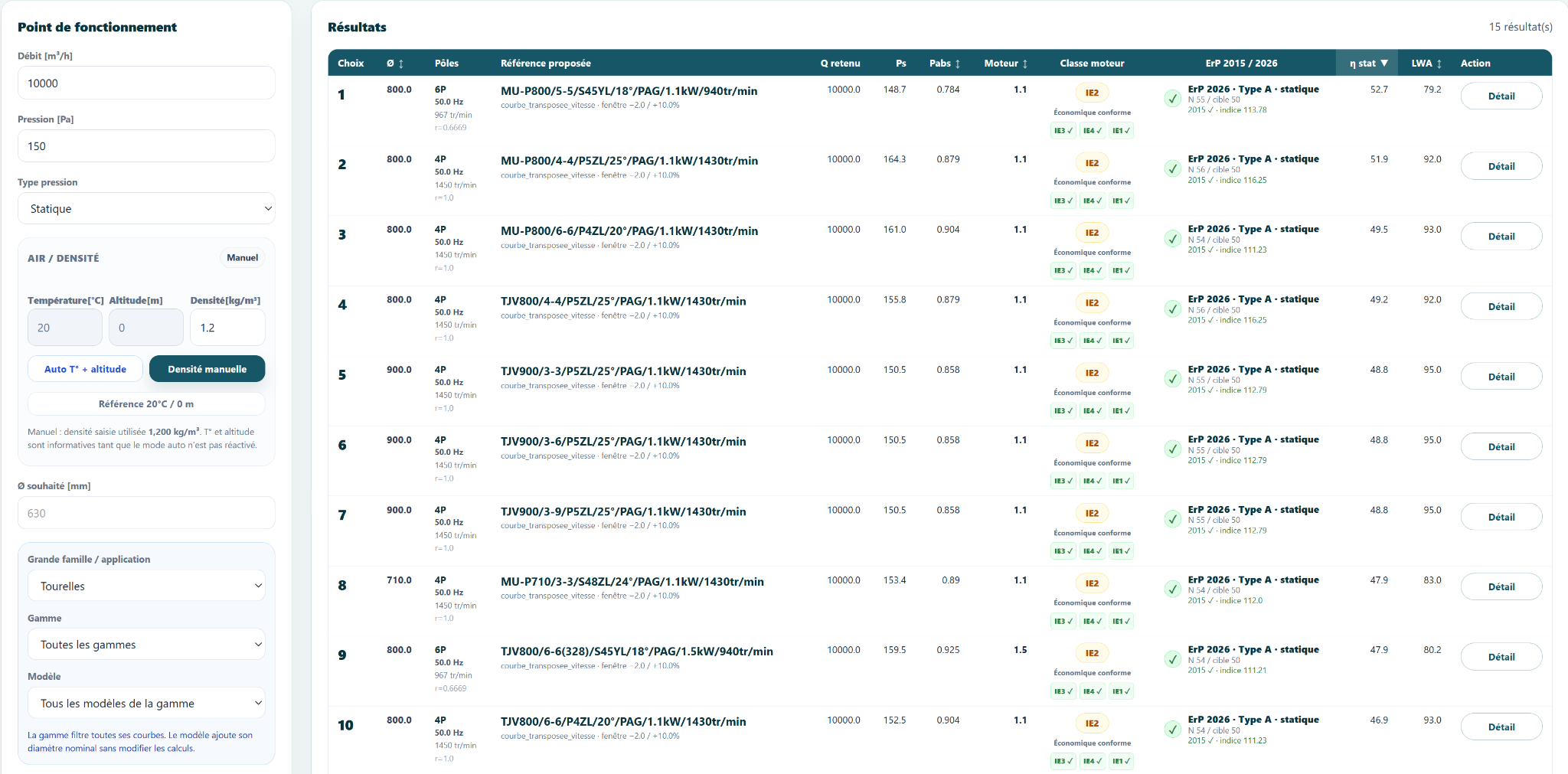
↗Your requirements. Your selection.Flow · Pressure · Performance
Customer access is on its way
SelectionCurvesAcousticsDimensionsProjectsPDF / CSV / ZIP
A first look
Step inside FABAIR SELECT.
An interface designed to explore ranges, compare solutions and access technical data.
One operating point. Solutions to compare.
Enter the flow, pressure and operating conditions. Review the proposed fans, their performance, motors and acoustic data.
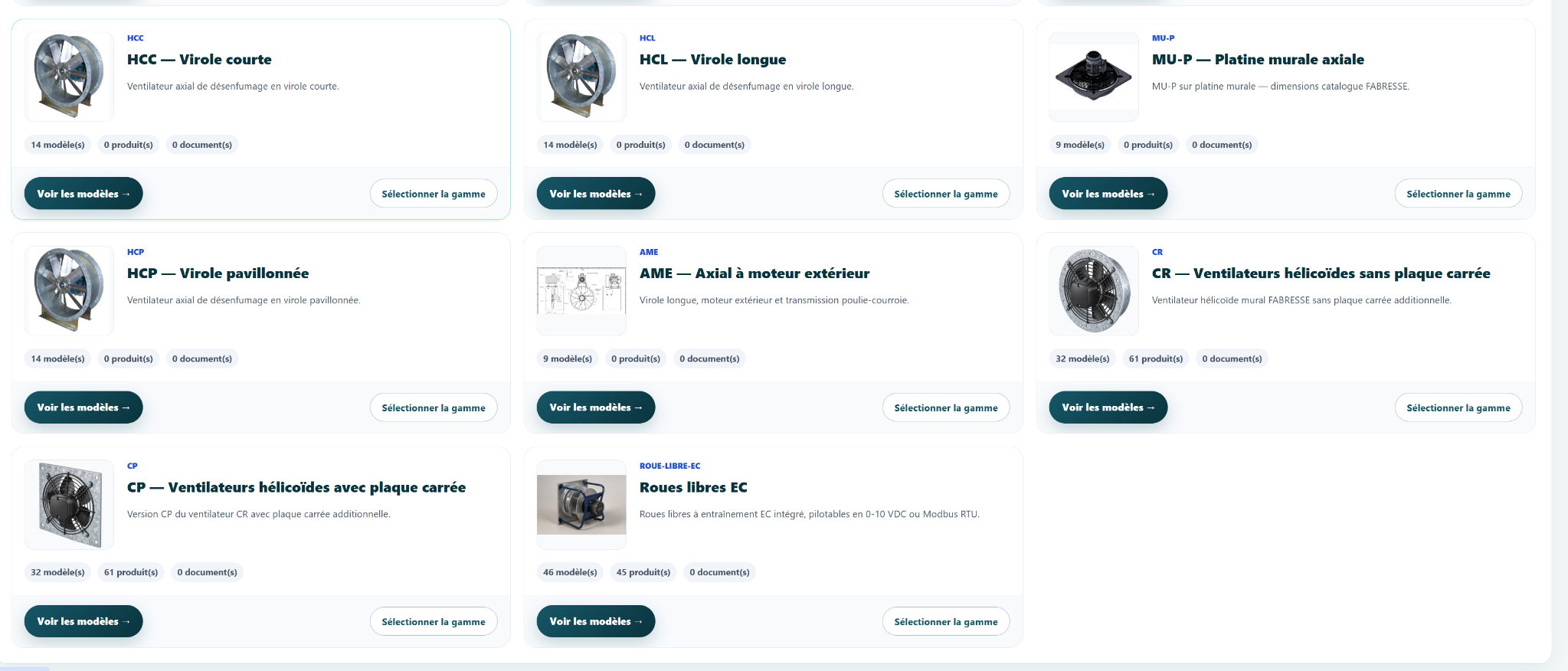
Your ranges, in one place.
Explore ranges, open models and access their information. Move from the catalogue to selection for the range you need.
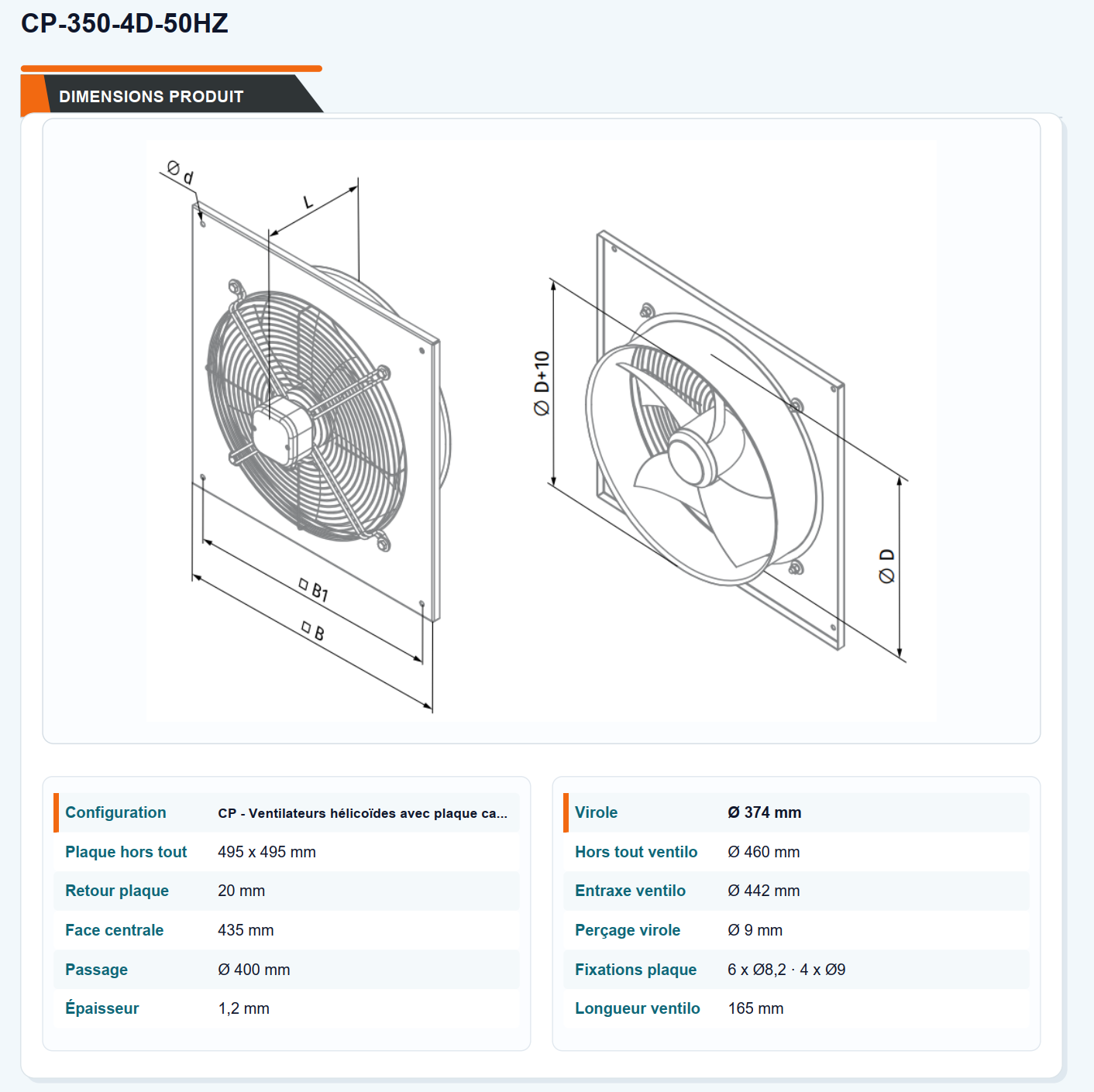
The data you need for integration.
Access model drawings, dimensions and information to prepare integration into your installation.
Drawings · Dimensions · Documents
Actual screenshots of the version in development, shown in its French interface.
From selection to project
Your whole workflow, in one tool.
Technical functions brought together to prepare and share your ventilation choices.
◎01Define your requirements
Flow, pressure, temperature and altitude: start with your application conditions.
Operating point · Air conditions
∿02Review performance
Curves, power, efficiency and acoustics: analyse the available data for your selection.
Curves · Summary · Acoustics
▣03Build your projects
Group your selections by project and find them again when preparing your files.
Projects · Selections · Revisions
⇩04Share your project files
Prepare technical sheets and exports of your selections to share with your contacts.
PDF / CSV / ZIP
Coming soon for our customers
The next step is coming.
Get ready to select.
FABAIR SELECT is preparing to welcome our customers. When access opens, create your account and keep your selections and projects in your workspace.